- Support
-
-
Language
-

-

-

-

News & informations
CUSTOMER DASHBOARD
Businesses working with eVision solutions are migrating more and more information, services and processes online. As a result, their customers are increasingly turning to the portal for their business needs, often several times a day.
Some time ago this growth in portal access sparked the idea of further developing the platform to provide additional value, increase interaction with stakeholders and strengthen customer relations.
Rather than limit the portal to a predominantly passive environment, through which information is sourced and spare parts are purchased, why not transform it into a truly proactive tool through which to launch promotions & campaigns, sell services, introduce new products, promote 2-way communications, manage events and share company information?
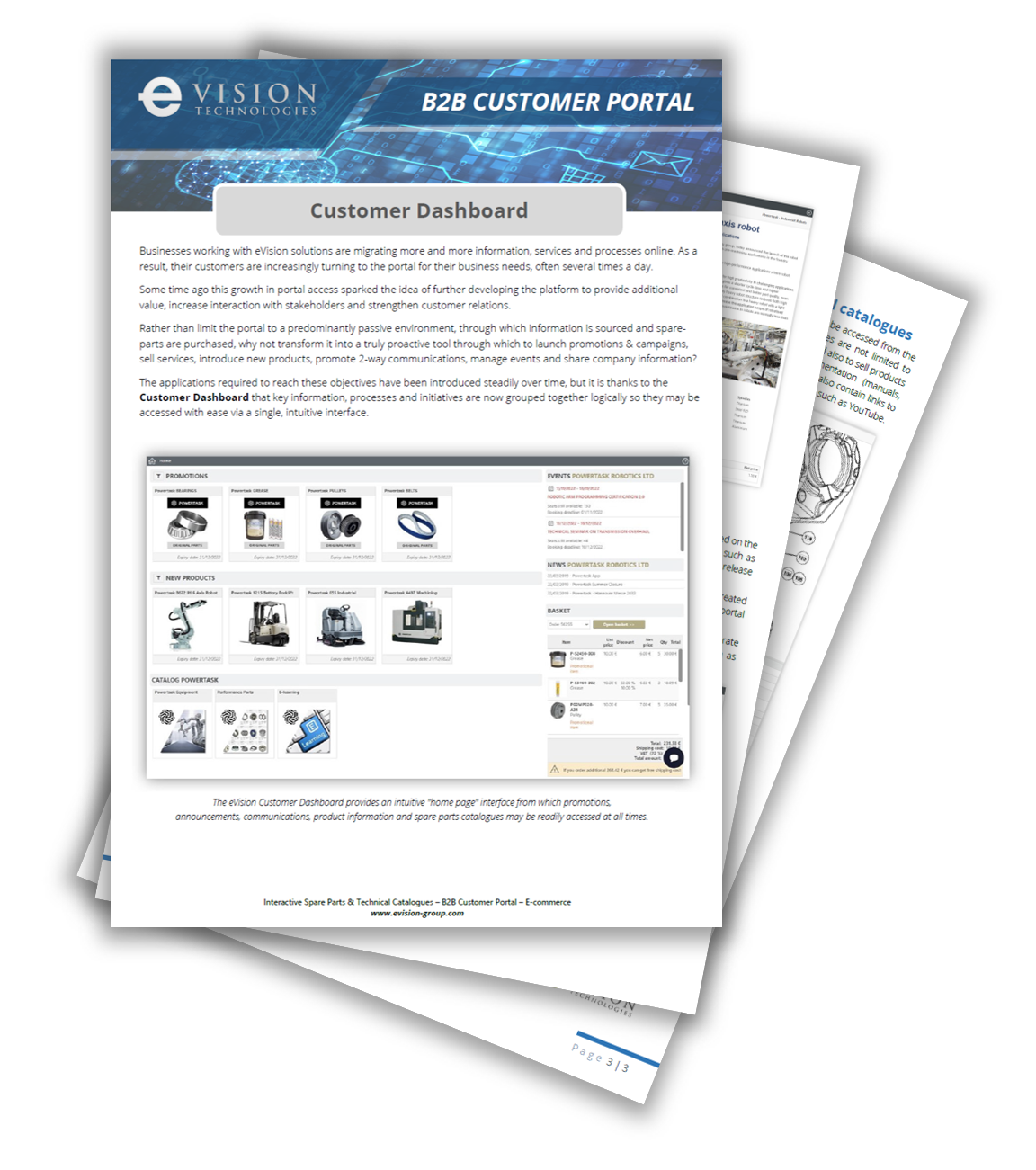
The applications required to reach these objectives have been introduced steadily over time, but it is thanks to the Customer Dashboard that key information, processes and initiatives are now grouped together logically so they may be accessed with ease via a single, intuitive interface.
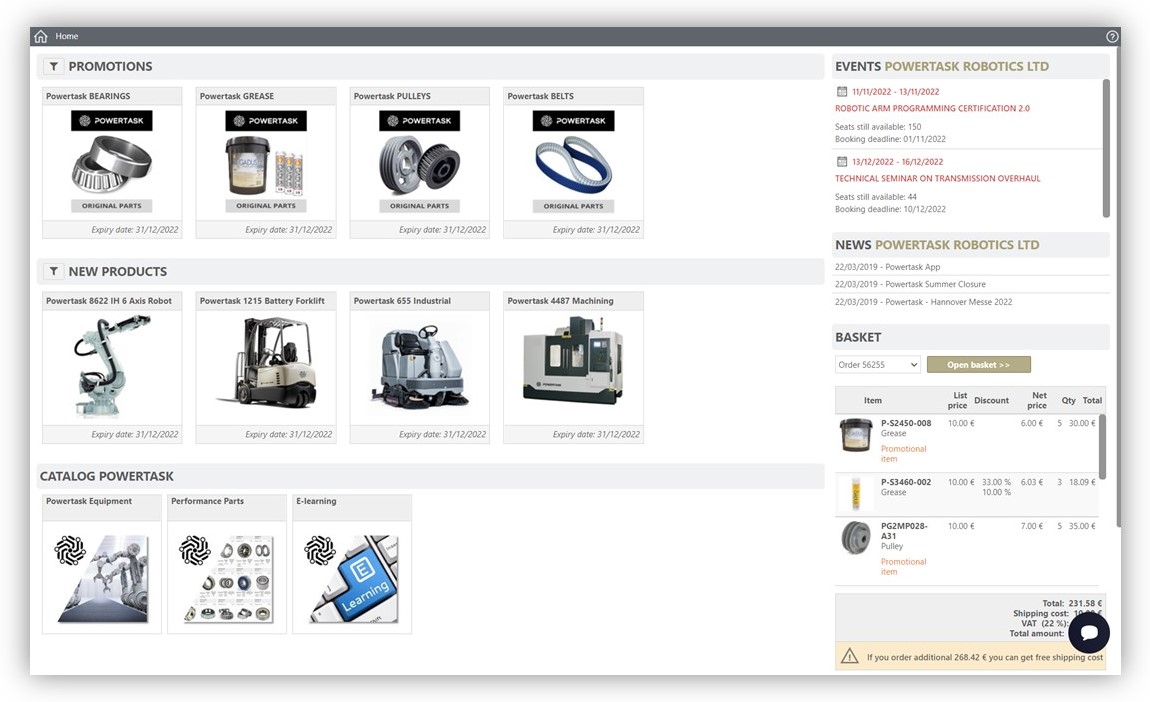
PROMOTIONS
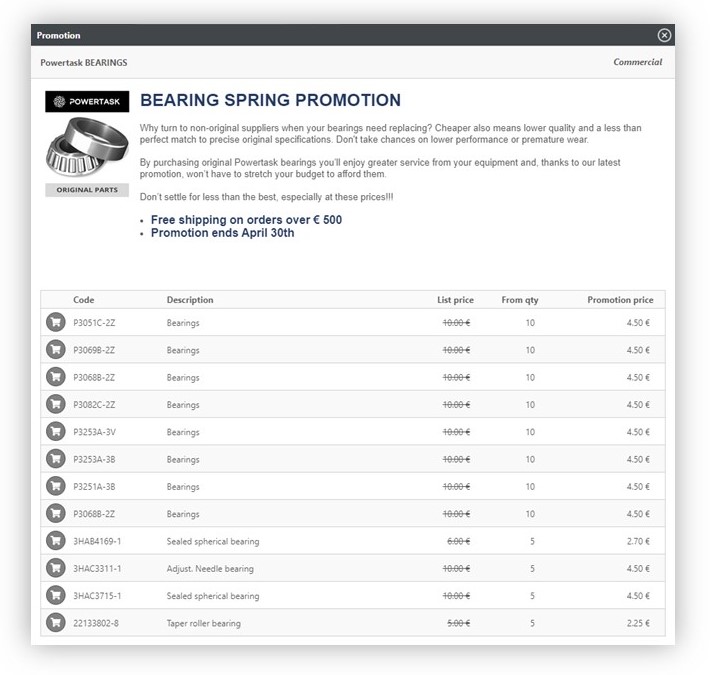
The most visible section of the dealer dashboard is dedicated to active promotions, as it should be! Promotions are created to capture the attention of customers and generate sales. They should always be prominently placed and easy to access.
Promotions can be created effortlessly within the portal’s administration area and may be configured to activate and deactivate automatically based on pre-defined dates. They may also be tailored to specific user profiles, leaving them visible to certain customers but not others.
Within the dealer dashboard, promotions are stacked horizontally making them easy to browse, even on mobile devices.
Items included in a promotion may be added directly to an existing or new basket.
Should a promotion item be purchased elsewhere from within the portal the terms of the promotion will be offered as the item is being added to a basket.
NEW PRODUCTS
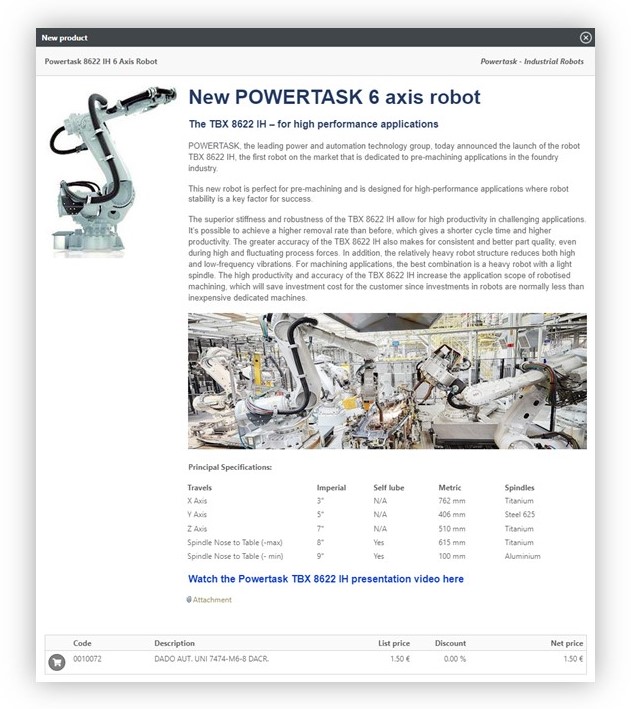
The next section is dedicated to New Products and may be used to:
- Communicate product innovations & enhancements,
- Announce service initiatives,
- Present new products, etc.
A New Product publication may contain text, images, tables, attachments and links to external websites (including YouTube).
Products may be added to a basket directly from within a New Product publication.
NEWS
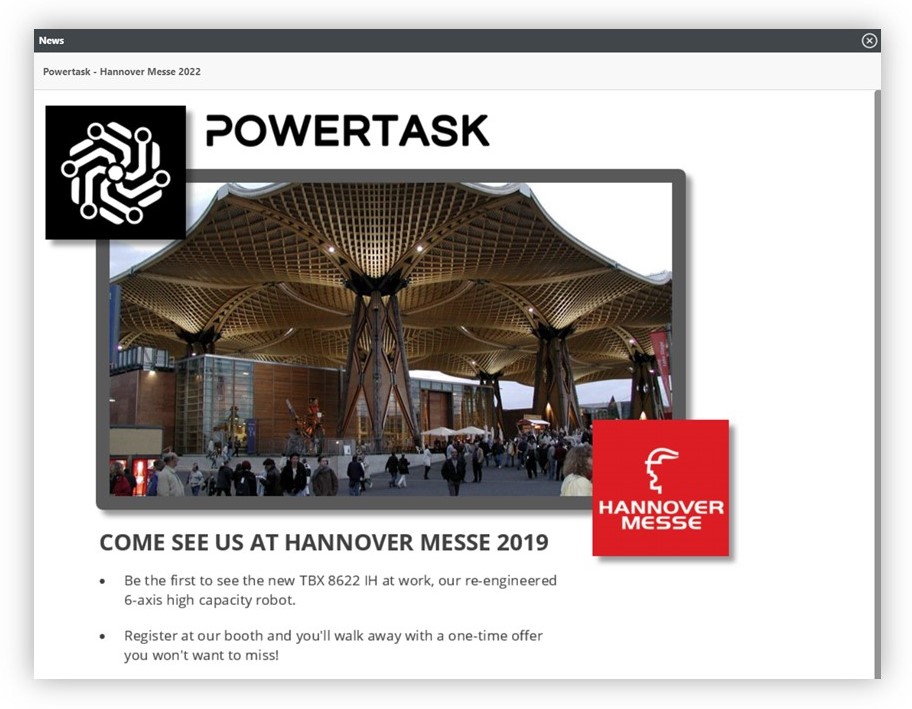
Corporate news bulletins may be created and published on the portal. These are usually messages of general appeal, such as announcing participation in a trade show, the imminent release of a new sales campaign, etc.
News bulletins are also date sensitive so they may be created in advance and will be published automatically on the portal accordingly.
Portal administrators may select and prioritise one corporate news bulletin to be displayed as a full-screen publication as users log on to the portal.
EVENTS
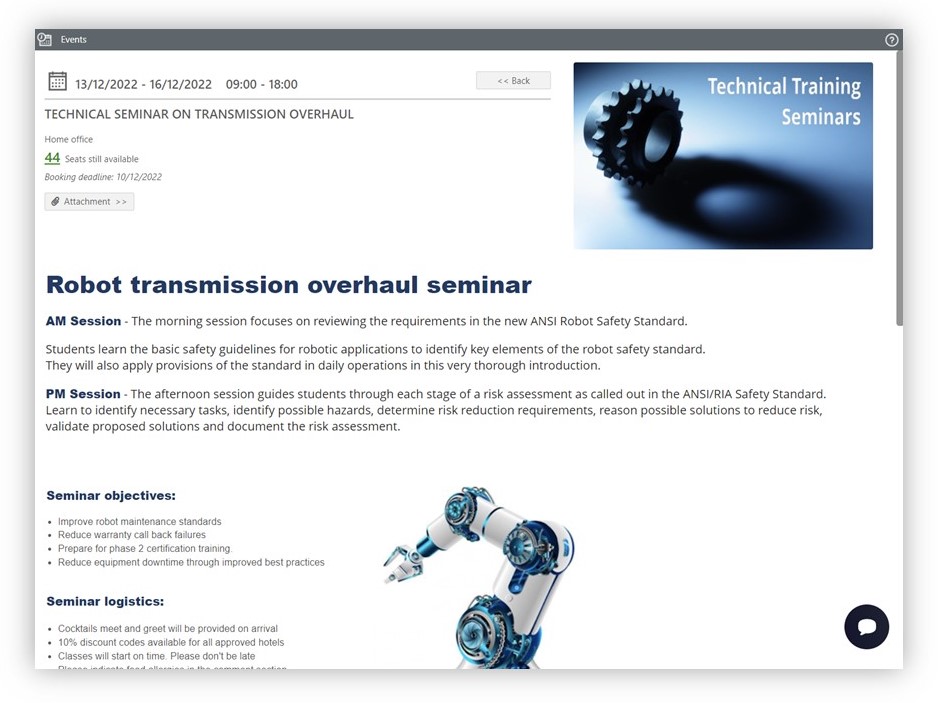
Corporate events may be created, managed and published within the portal and will be visible in the Customer Dashboard. An event might be a service meeting, annual convention or an online workshop to name but a few. Users may access and browse events, book tickets, join a waiting list, reserve a hotel room and even pay for the event, all from within the portal.
BASKET
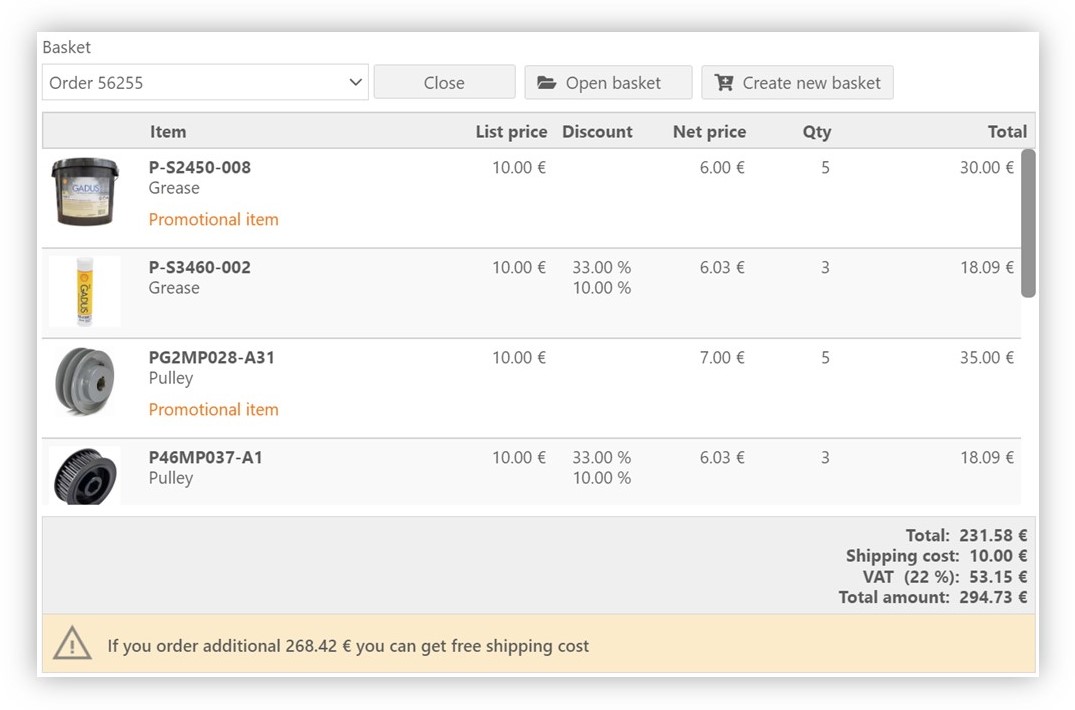
Although users may keep as many active shopping baskets as they like within the eVision portal, a summary snapshot of the latest basket will always be visible within the Customer Dashboard. If order incentives are applicable, they too will be highlighted in the basket summary. E.g.: “if you order another €250 free shipping will apply.”
SPARE PARTS & TECHNICAL CATALOGUES
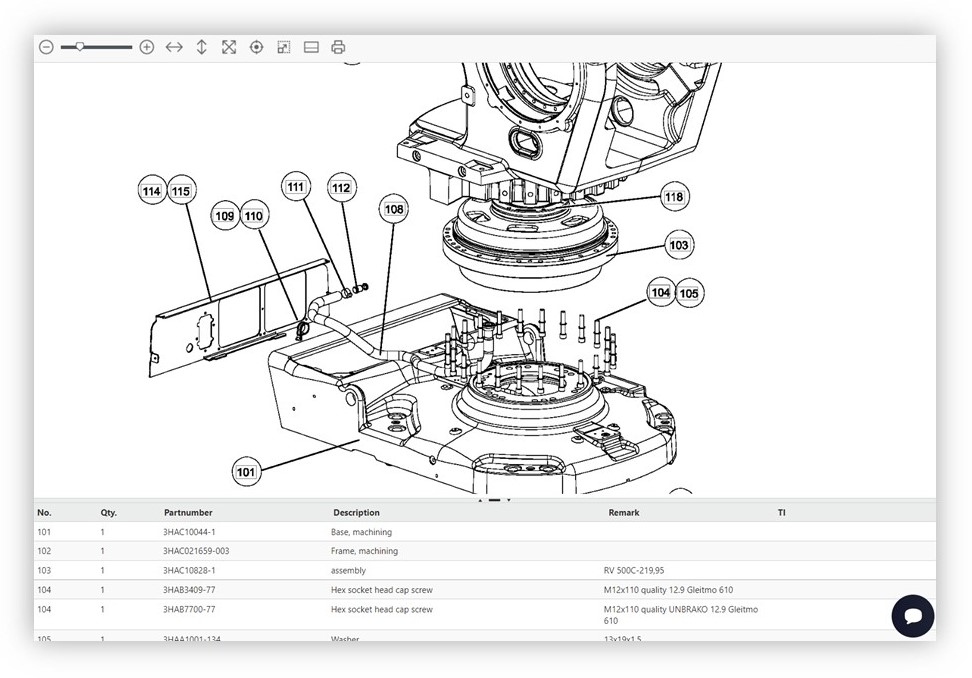
All interactive technical catalogues may be accessed from the Customer Dashboard. eVision catalogues are not limited to selling spare parts moreover may be used also to sell products and accessories, host technical documentation (manuals, bulletins, videos, schematics ……) and may also contain links to external websites and streaming platforms, such as YouTube.
Find out more
To download printable information on eVision’s Customer Dashboard please click here.
> For more information on eVision solutions, please contact us by clicking here